Step 1.
Go to your email and accept the invite to your organization
Step 2.
Go to your dashboard
Step 3.
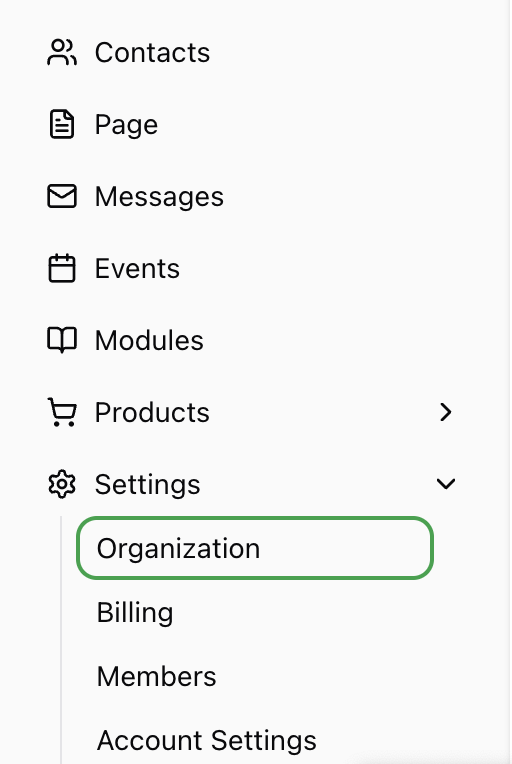
Go to Settings > Organization.
Step 4.
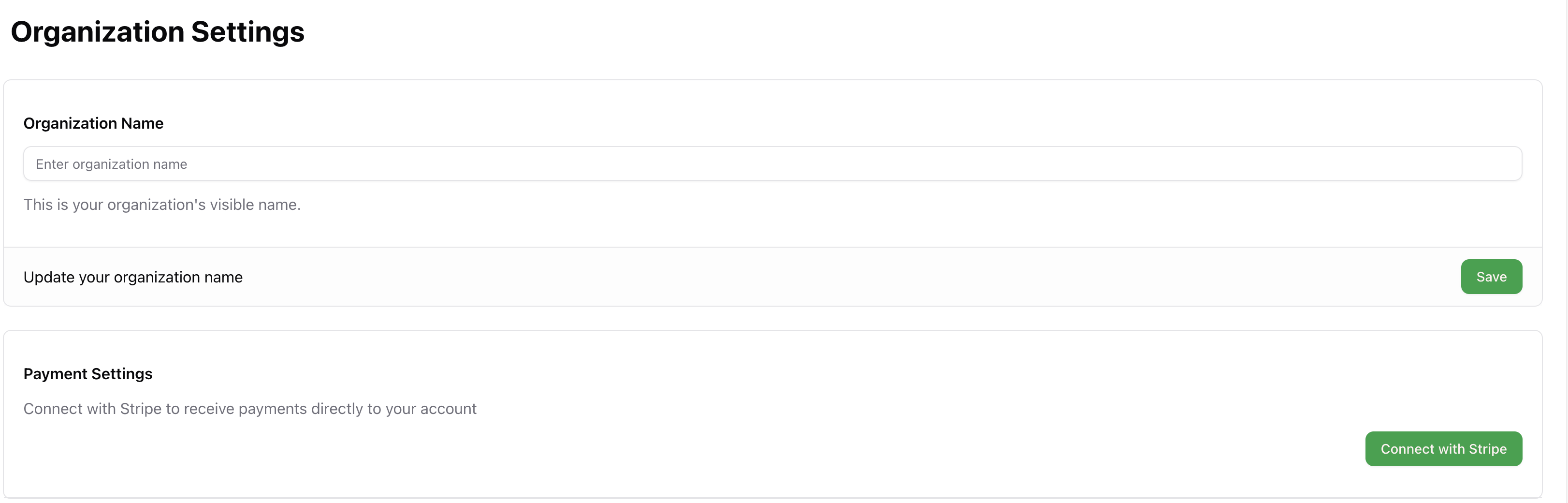
Click Connect with Stripe
Step 5.
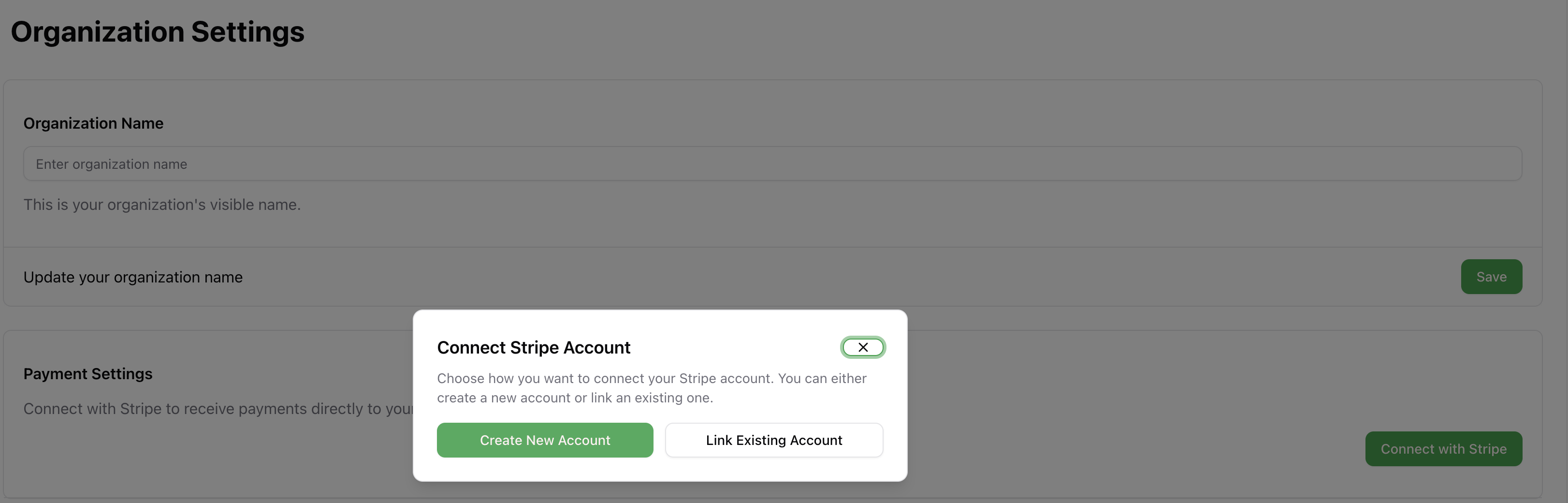
Connect your existing stripe account or create a new one
Search for a command to run...
Go to your email and accept the invite to your organization
Go to your dashboard
Go to Settings > Organization.
Click Connect with Stripe
Connect your existing stripe account or create a new one
Privacy Policy Effective Date: May 15, 2025 At Lahuta (“we,” “our,” or “us”), we respect your privacy and are committed to protecting the personal information you may provide through our websites, https://lahuta.org…
Read More
Frustration Person Lorena Benedetto — a rising comedian with a magnetic stage presence and a rapidly growing social media following. She had all the raw ingredients for breakout success: a killer set,…
Read MoreIf you’re ready to start selling through Lahuta, you’ll need to accept your organization invite and connect your Stripe account to begin receiving payments. Here’s a step-by-step guide to walk you through…
Read MoreGo to your email and accept the invite to your organization
Go to your dashboard
Go to Settings > Organization.
Click Connect with Stripe
Connect your existing stripe account or create a new one
Privacy Policy Effective Date: May 15, 2025 At Lahuta (“we,” “our,” or “us”), we respect your privacy and are committed to protecting the personal information you may provide through our websites, https://lahuta.org…
Read MoreFrustration Person Lorena Benedetto — a rising comedian with a magnetic stage presence and a rapidly growing social media following. She had all the raw ingredients for breakout success: a killer set,…
Read MoreIf you’re ready to start selling through Lahuta, you’ll need to accept your organization invite and connect your Stripe account to begin receiving payments. Here’s a step-by-step guide to walk you through…
Read More